Fan Noise
When your fans noise are loud there may be two reasons why.
Firstly, whether you have a bad fan and /or if your fans are pushing air through too many obstacles.
Bad fan vs. Fan resistance
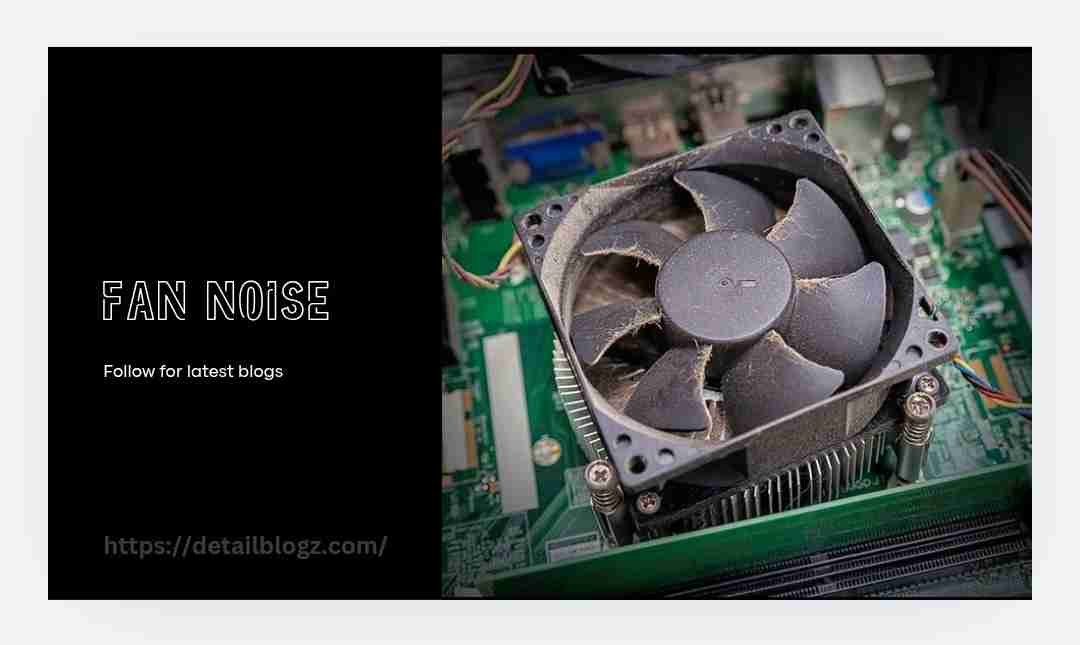
If the fan is producing excessive noise itself (for example, bad bearings, misalignment, etc.), there is not much you can do to fix it without buying new fans. On the other hand, if the fans’ curves are set to be too aggressive and thus produce excess resistance in opposition to the fans themselves, this could be adjusted.
There should be no reason why your fans are pushing the same kind of resistance they were designed to push air through. For example, you wouldn’t want to install an airflow fan on the radiator side of an aio (liquid-cooled all-in-one) system. The airflow fans would naturally increase their RPM in order to try and move more air through all the small holes in the aio and create even more noise.
Here’s a rough outline of what some common levels of Fan Noise are:
| dba | equivalent to |
|—|—|
| 10–15 | silent room |
| 18–22 | quiet PC fan at idle |
| 25–30 | quiet library |
| 35–40 | refrigerator hum |
| 45–50 | conversation |
| 55–65 | loud PC fan under load |
| 70+ | Vacuum cleaner |
Check: https://www.reddit.com/r/DellXPS/comments/1vteumw/new_dell_xps14_fan_noise/
As for the best Fan Noise level, that really depends on your surroundings.
If you are using your computer in a home theater setup that is completely dark and you watch movies on the screen most nights, “silent” will probably mean fewer people. However, if you work late at night in a small apartment with thin walls that share with neighbors, “quiet” might mean closer to 0 dba.
diagnose your problem
1. Temp/RPM monitoring: use hwinfo ,Argus Monitor or your motherboards software to monitor temps and fan speeds.
2. Pattern analysis: are the fan speeds spiking with increased usage? Or are the fans just always maxed out?
3. Physical isolation: open up your Case and gently touch the hub where each fan is attached to see if you get any grinding or rattle sounds.
4. Psu fan check: some of you are overlooking checking the fan inside your power supply unit (psu) especially if you bought a cheap model.
5. Coil whine check: this is a super high pitch squeal that comes from either your GPU or motherboard vrm. It has absolutely nothing to do with your fans.
Software solution
1. Fan curve adjustment: change your fan curve settings in bios or with a program like fan control. Try keeping your fans as quiet as possible until around 60-65 degrees celsius then let them slowly begin to spin faster again.
2. Cpu/GPU undervolting:
Less voltage = less Heat = quieter fans. Programs such as Intel XTU, Ryzen Master and msi afterburner allow you to reduce voltage.
3. Power plan balancing: choose a balanced power plan that doesn’t raise clocks excessively when idle on laptops.
4. Update EC/firmware: sometimes manufacturers update the firmware in their fan and motor controllers so they run smoother.
5. Other options: clean dust off your fans every 3-6 months based on how often you use your system and how dusty your area is, also check if anything is blocking airflow behind your fans and think about purchasing anti-vibration mounting hardware.
Hardware solutions
1. Cleaning your fans every three months based on how often you run them and where you live is recommended.
2. Matching your fans type to job: make sure you have the right type of fan for the job you’ve assigned it. Static pressure fans can push more air than regular fans but only in narrow spaces, while airflow fans can move more air over wider areas.
3. Anti-vibration mounts: rubber corner pads or silicone screws help prevent vibration from the casing from being transferred into the panel resonating against the fan.
4. Clearance: verify that no cables or panels are obstructing your fan blades. Also verify that all screws are tightened down properly to prevent vibration.
5. Replacing bad fans:
Don’t risk damaging your electronics to replace fans with broken bearings.
Bearing Types
Sleeve bearing (typical life span): ~30k hours (cheapest option)
Rifle bearing (typical life span): ~50k hours (less expensive alternative to traditional Sleeve bearings)
Ball bearing (typical life span): ~50k–~70k hours (very long lasting, very quiet)
Fluid dynamic bearing (FDB) (typical life span): ~150k + hours (generally quieter than all other Bearing Types due to reduced friction)
Magnetic levitation bearing (typical life span): ~150k + hours (frictionless – therefore produces least amount of mechanical noise)
Quiet fan choices (2026)
noctua nf-a12x25 & nf-f12: these two are reference designs for quiet performance and both have excellent static pressure capability in mid-teens to low-twenty decibels at moderate rpms.
Be quiet! Silent wings 4: amongst the quietest 120/140mm fans available; greatly reduces low-end rumble.
Arctic p12 pro/p14: offers almost all of the performance of noctua or be quiet products but at a fraction of the price; only creates slightly louder noise under extreme close inspection.
In general look for:
Published dba-at-RPM figures
FDB or maglev bearings
Also check our official website for latest blog posts. For previous informational blog click in below👇 thanks for coming, watching, reading and I hope your doubt is clear.
Check: How to register your business in Nevada SilverFlume fast